Show a motor as running, stopped or faulted
Beginner · 8 min · Motor / pump
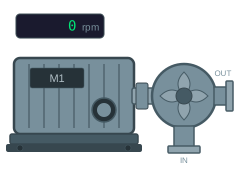
Running = false Fault = false 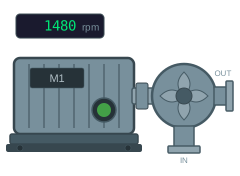
Running = true SpeedText = 1480 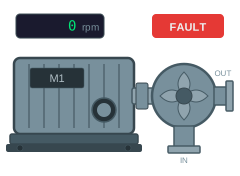
Fault = true
The problem
Motors get copied. A line has thirty of them, and the symbol is drawn once and pasted twenty-nine times, which means every change to it is thirty edits. That is survivable until someone asks for the fault badge to be bigger, or the green to match the new house style, and then it is an afternoon.
The other thing that goes wrong is treating a fault as a colour. If the lamp has three colours — grey, green, red — then a faulted motor that is still turning has to pick one, and whichever you pick loses information an operator needs.
A dynamic SVG solves the first problem by being one file, and the second by letting a fault be a separate thing on top rather than a third colour.
What you need
A motor graphic with the status lamp, the fault badge and the speed readout as separate elements — the example below uses the motor and pump from the sample set. From the PLC you need the run feedback and the fault bit as booleans, plus the speed.
| Parameter | Type | What it does |
|---|---|---|
| Running | boolean | Run feedback. True when the drive is actually turning. |
| Fault | boolean | Fault bit. Shown on top of whatever the motor is doing. |
| SpeedText | string | Speed as it should appear in the readout. |
Build it
1. Colour the lamp from the run bit
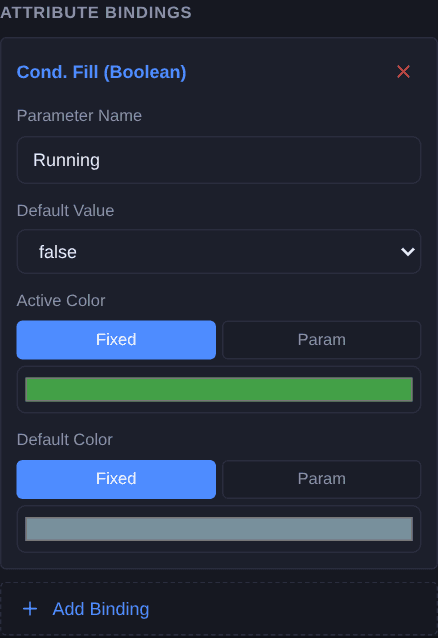
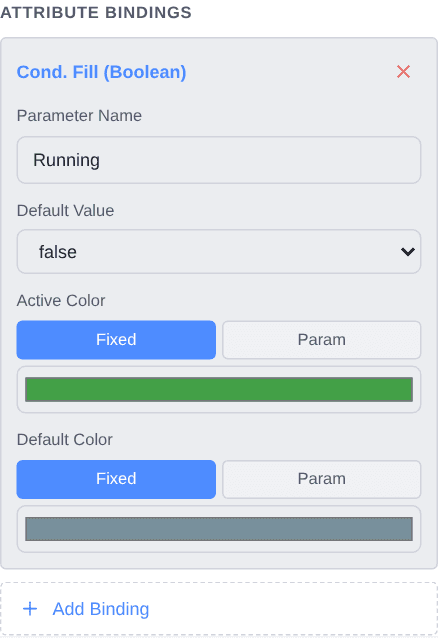
Select the status lamp and add a Cond. Fill (Boolean) binding named
Running. Set the active colour to green and the default to the grey the lamp already is.Use the run feedback, not the run command. A drive that has been told to run and is not running is exactly the case a status lamp exists to show, and a lamp fed from the command is green throughout it.
2. Show the fault badge only when there is a fault
Select the fault badge and add a Visibility (Boolean) binding named
Fault. Nothing else changes: the badge sits on top of the motor and appears when the bit does.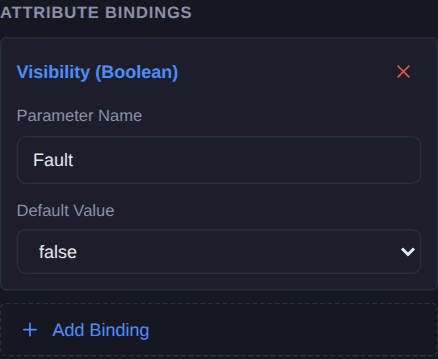
3. Put the speed on the widget
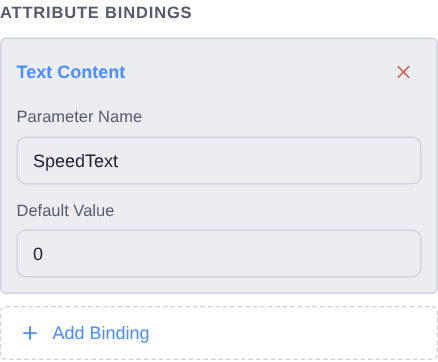
Select the speed readout and add a Text Content binding named
SpeedText. A string rather than a number, so whatever scales the tag also decides how it reads — rounded to whole rpm, blanked when the drive is off, or dashed out when the value is stale.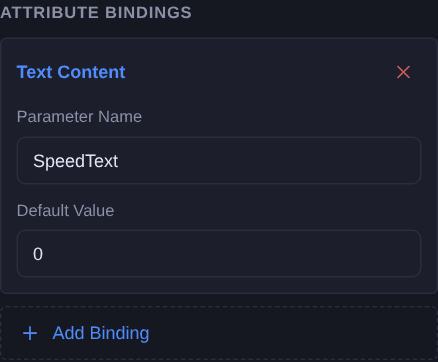
Check it
Open Simulate and work through the three states at the top of this page. Then try the combination none of them shows: set Running and Fault together. The lamp should stay green and the badge should appear over it — that is the case the design exists for, and it is worth seeing it work rather than assuming it does.
Simulate needs a free account. Everything up to this point does not.
Variations
- Add a third condition. Drives usually have more than two states — ready, starting, running, tripped. Swap the boolean fill for a Cond. Fill (Multi-Bool) and give each bit a row, first true wins.
- Turn the impeller. The pump impeller is a separate group. A Rotation binding on it, fed an angle that advances while the drive runs, makes a running pump read as running from across the room.
- Add a current readout. Draw a second display beside the speed one and give it its own Text Content binding. Motor current is often the first thing anyone looks at when a drive is behaving oddly, and it costs one element and one binding.
Questions
- Why visibility for the fault rather than a colour?
- Because running and faulted are independent. A lamp with three colours has to choose between them, and a faulted motor that is still turning is exactly the case where choosing loses something the operator needs. A separate badge shows both at once.
- Should the lamp follow the run command or the feedback?
- The feedback. A drive that has been commanded to run and is not running is the situation a status lamp exists to show, and a lamp fed from the command stays green right through it.
- Can one widget cover several motors?
- That is the point of it. The graphic carries no tag names, only parameters, so the same file is placed once per drive and each one is connected to its own tags.
- Why is the speed a string and not a number?
- So the formatting lives with whatever scales the tag. A number binding would show whatever the raw value is, decimals and all; a string lets you round it, blank it while the drive is off, or dash it out when the reading is stale.