Tutorials using Text Content
Puts a string from a parameter into a text element — formatted upstream, displayed as given.
What Text Content does
Put a string from a parameter into a text element.
A string, deliberately, not a number. How many decimals a reading shows, whether an out-of-range value blanks, what appears when the instrument has failed — those are one decision, made where the tag is scaled, and they should not be made again in every graphic that displays it. Hand the graphic the finished text.
It replaces everything inside the text element, so separate runs of text in the drawing go with it. A multi-line label built out of them needs one bindable element per line.
Bind what changes and leave the rest. A tag name and an engineering unit describe the measuring point rather than the reading, and they do not change while the screen is open — a widget placed once per point can carry them as static text. The exception is a tile reused for whatever is selected, where binding all three is exactly right.
Worked examples
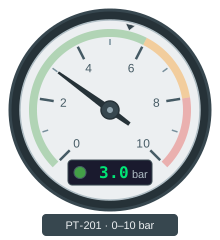
Point a gauge needle at a process value
A round gauge reads at a glance in a way a number never does — you see the needle sitting in the green without reading anything.
Rotation · Cond. Fill (Number) · Text Content
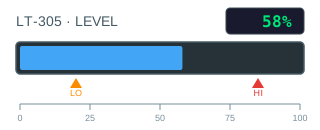
Build a bar graph that recolours at its limits
A bar is the cheapest way to make a number readable across a room, and it costs two bindings: one for how long it is, one for what colour.
Custom Attribute · Cond. Fill (Multi-Bool) · Text Content
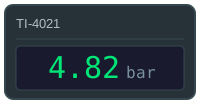
Show a live value with its colour and quality
A number on a screen is only useful if you can tell whether to believe it.
Text Content · Fill Color · Visibility (Boolean)
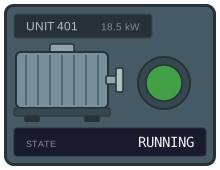
Show machine states from a PLC status word
A machine that publishes its state as one integer — 0 stopped, 1 running, 2 fault, 3 maintenance — should need one binding to display, not one object per state.
Cond. Fill (Number) · Text Content · Visibility (Number)
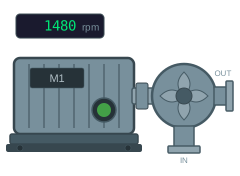
Show a motor as running, stopped or faulted
Two bits and a speed value are all a motor symbol needs.
Cond. Fill (Boolean) · Visibility (Boolean) · Text Content
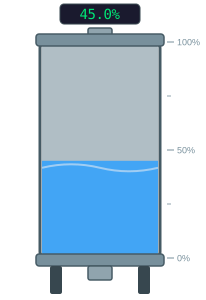
Drive a tank level from an analog value
A level in percent is one number, and the graphic that shows it should be one binding.
Custom Attribute · Cond. Fill (Multi-Bool) · Text Content
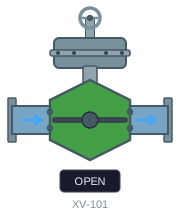
Show a valve as open, closed, travelling or faulted
A valve on a screen has to answer one question at a glance: is it where it should be?
Cond. Fill (Multi-Bool) · Rotation · Text Content