Show machine states from a PLC status word
Beginner · 9 min · Indicator
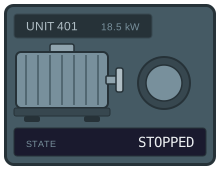
MachineState = 0 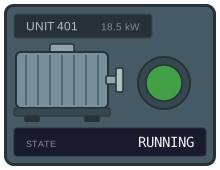
MachineState = 1 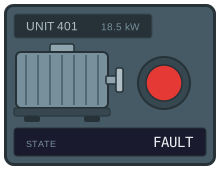
MachineState = 2 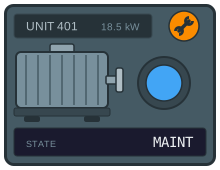
MachineState = 3
The problem
The usual build is one screen object per state, stacked, each with a visibility dynamic comparing the same tag to a different number. Four states, four objects, four dynamics, and they all have to be moved together every time the layout changes.
It also fails quietly in both directions. Miss a value and the tile shows nothing at all, which looks like a drawing that has not loaded rather than a state nobody planned for. Get two comparisons overlapping and it shows two states at once, and whichever object happens to be on top wins — which is a decision made by drawing order rather than by anyone.
One number driving one colour has neither failure mode: exactly one row can match, and the value that matches nothing gets a fallback you choose.
What you need
A status tile with the lamp, the caption and the maintenance icon as separate elements — the example below uses the status tile from the sample set. From the PLC you need the state word as a number, and the caption as text.
| Parameter | Type | What it does |
|---|---|---|
| MachineState | number | The state word: 0 stopped, 1 running, 2 fault, 3 maintenance. |
| StateText | string | The state in words, for the caption. |
Build it
1. Colour the lamp from the state word
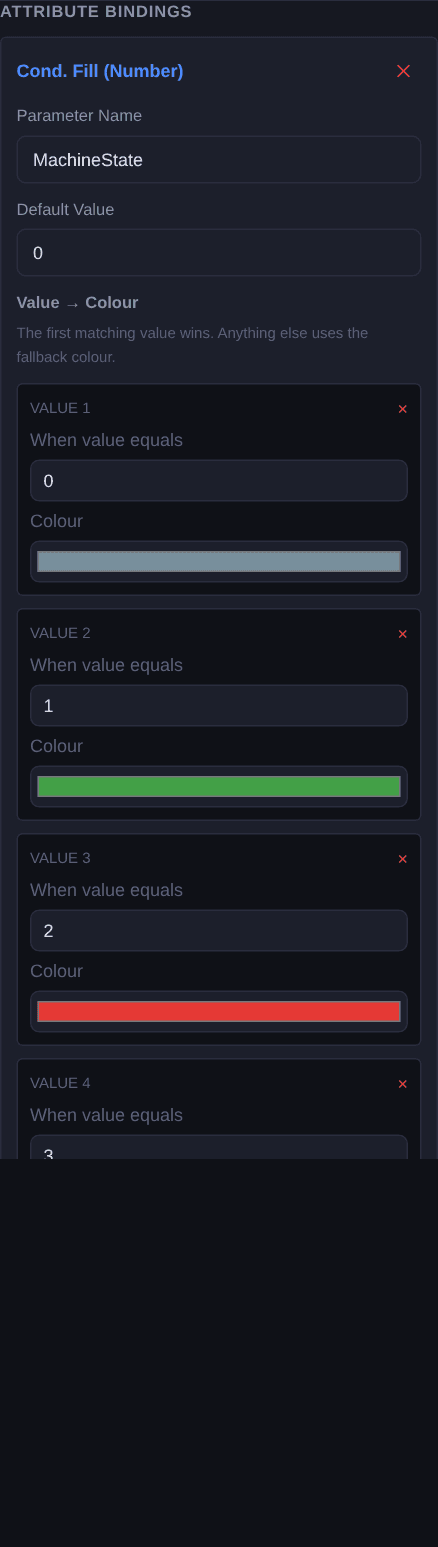
Select the status lamp and add a Cond. Fill (Number) binding named
MachineState. Add a row per value:0— grey, stopped1— green, running2— red, fault3— blue, maintenance
Then pick a fallback. It applies to every value you did not list, which is the whole point of setting it deliberately.
2. Put the state in words
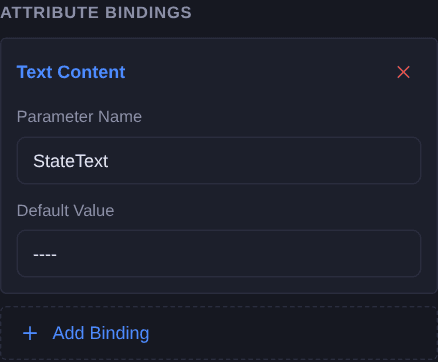
Select the caption and add a Text Content binding named
StateText. Colour is fast for someone who knows the convention; the word is what makes the tile readable to a contractor, a night shift, or anyone looking at a screenshot a week later.Keeping it a separate parameter also means the text can be translated wherever your texts already live, rather than being baked into the graphic in one language.
3. Show the maintenance icon only in maintenance
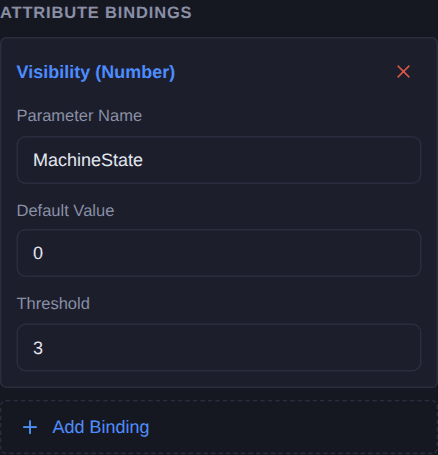
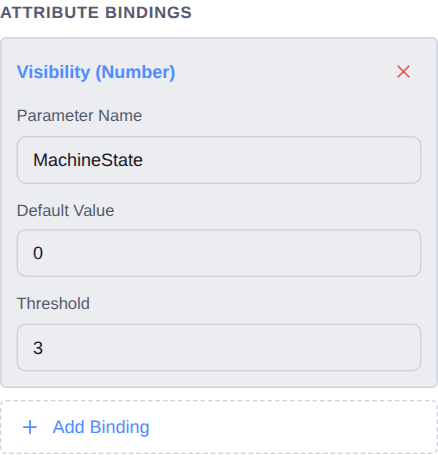
Select the maintenance icon and add a Visibility (Number) binding named
MachineStatewith the threshold set to3. It appears at exactly that value and at no other.Note that it reuses the same parameter as the lamp — one tag, two bindings, and no way for the icon and the colour to disagree about what the machine is doing.
Check it
Open Simulate and step MachineState through 0, 1, 2 and 3. The lamp should change on every step and the icon should appear on exactly one of them.
Then set it to 7. That is the check worth doing deliberately: a value nobody planned for should announce itself through the fallback colour rather than quietly looking like a state you did plan for.
Simulate needs a free account. Everything up to this point does not.
Variations
- More icons, same number. Add a second element with its own Visibility (Number) binding on the same parameter and a different threshold. One state word can drive as many overlays as you like, and exactly one shows.
- Bits instead of a number. If your PLC publishes separate bits rather than a state word, use Cond. Fill (Multi-Bool) instead — one row per bit, first true wins, and a fallback for the case where none of them is set.
- Colours from the faceplate. Switch any row from Fixed to Param and its colour becomes a parameter, so a project sets its state palette once instead of per graphic.
Questions
- Why one number rather than one object per state?
- Because separate objects can show none at once or two at once, and neither looks broken enough to get reported. A numeric colour map matches exactly one row, and the values it does not match get a fallback you choose.
- What should the fallback colour be?
- Something that appears nowhere else on the screen. State words grow, and a fallback that matches one of the real states makes an unplanned value look like a state you did plan for.
- Can the same parameter drive several bindings?
- Yes, and here it should. The lamp and the maintenance icon both read the state word, which is what makes it impossible for them to disagree about what the machine is doing.
- Do the rows have to be in order?
- No. Each row is an equality test against its own value, so unlike a boolean chain the order carries no meaning. Keep them in numeric order for the next reader, not for the runtime.