Tutorials using Visibility (Number)
Shows an element when a number equals one exact value — give each severity its own badge and only one can appear.
What Visibility (Number) does
Show an element when a number equals a value you set. One parameter, one threshold, and the element appears at exactly that value.
Equality rather than a range is what makes it composable. Give each severity its own badge and its own threshold on the same state parameter — 1 warning, 2 alarm, 3 unacknowledged — and exactly one can ever be visible, because a number is only equal to one of them. No overlapping comparisons to get wrong, and no gap between them for a state to fall into.
The flip side is that it will not do “greater than”. A threshold of 2 does not show at 3. If your states are ordered and you want everything above a level to appear, that is a job for the number in the alarm logic, not for the graphic — or for one element per value, which is usually clearer anyway.
Same drawing note as the boolean version: something else holding the element invisible, most often a zero opacity, is not something a visibility binding can undo.
Worked examples
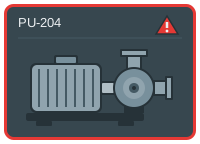
Put alarm state on any equipment symbol
Alarm treatment should be the same on every symbol on the screen, and it should not require redrawing the symbol.
Visibility (Number) · Stroke Color · Fill Opacity
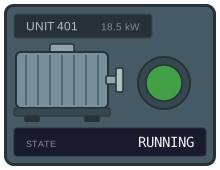
Show machine states from a PLC status word
A machine that publishes its state as one integer — 0 stopped, 1 running, 2 fault, 3 maintenance — should need one binding to display, not one object per state.
Cond. Fill (Number) · Text Content · Visibility (Number)