Put alarm state on any equipment symbol
Intermediate · 11 min · Any symbol
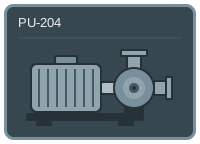
AlarmState = 0 BodyOpacity = 100 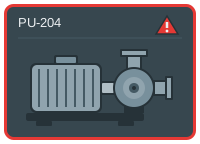
AlarmState = 2 FrameColor = red 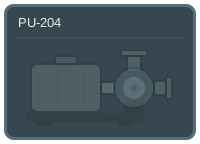
BodyOpacity = 30
The problem
Alarm indication usually gets drawn into the equipment: the pump turns red, the valve gets an outline, the motor grows a flashing halo. Each one is a separate decision made by whoever drew that symbol, so a screen ends up with four alarm conventions and an operator who has to learn all of them.
Colouring the device itself has a second cost. The device colour usually already means something — running, selected, which product is in it — and an alarm that overwrites it takes that meaning away exactly when the operator most needs both facts at once.
Keeping the alarm on the chrome instead means it never competes with what the symbol already says, and the three bindings move to the next symbol unchanged.
What you need
A device tile with an outer frame, the equipment as its own element, and a badge in a corner — the example below uses the alarm tile from the sample set. From the PLC you need an alarm state number and whatever tells you the device is out of service.
The frame colour arrives as a colour rather than being decided here, which is what lets one alarm palette be set per project.
| Parameter | Type | What it does |
|---|---|---|
| AlarmState | number | Alarm state: 0 normal, 1 warning, 2 alarm. |
| FrameColor | HmiColor | The frame colour, supplied by the faceplate. |
| BodyOpacity | number | Device opacity in percent. 100 in service, lower when it is not. |
Build it
1. Show the badge at one state
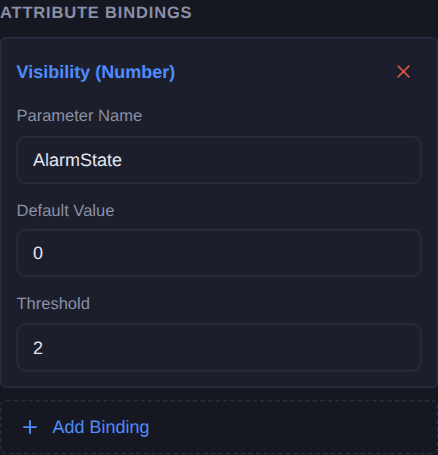
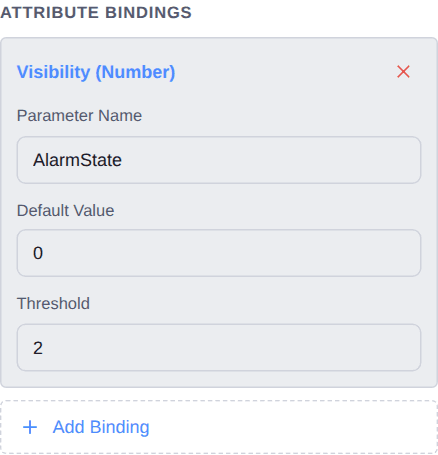
Select the badge and add a Visibility (Number) binding named
AlarmState, with the threshold set to2. It appears at exactly that value.A badge rather than a colour change, because a badge occupies a corner nothing else is using. It can sit on a pump, a valve or a bare rectangle without having to know what is underneath.
2. Let the faceplate choose the frame colour
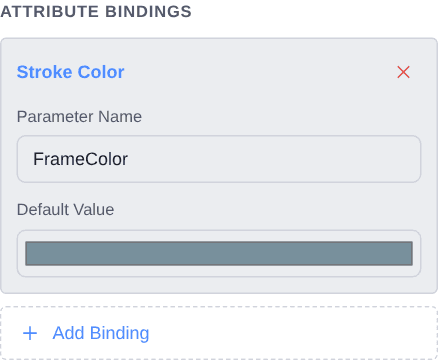
Select the frame and add a Stroke Color binding named
FrameColor. This one takes a colour, not a state — the widget does not decide what alarm looks like, it just wears what it is given.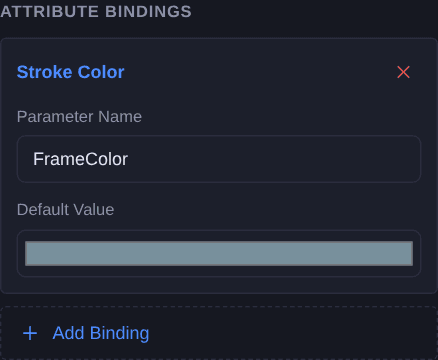
3. Dim the device when it is out of service
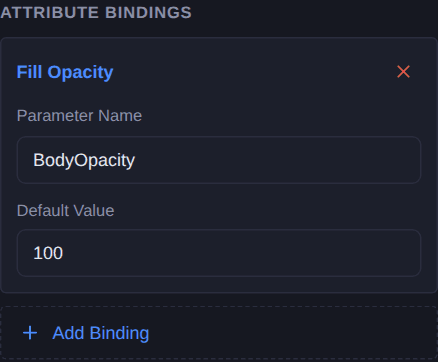
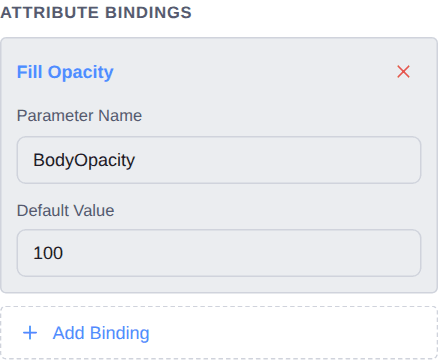
Select the device and add a Fill Opacity binding named
BodyOpacity. The parameter is a percentage: 100 in service, around 30 for isolated or not commissioned.Note this is on the device while the alarm bindings are on the chrome. They read as different things because they are different things — one is about the equipment, the other is about a condition on it.
Check it
Open Simulate and set AlarmState to 2. The badge should appear without anything about the device changing — that separation is the whole design.
Then drop BodyOpacity to 30 while the alarm is still up. Both should be legible at once: a dimmed device with an alarm badge over it is a real combination, and one that a treatment painted onto the device could not show.
Simulate needs a free account. Everything up to this point does not.
Variations
- A second severity. Add another badge with its own Visibility (Number) binding on the same parameter and a different threshold. One state number can drive as many badges as you have severities, and exactly one shows.
- Unacknowledged versus acknowledged. A third threshold, a third badge — the pattern does not change, only the number of rows.
- Move it to another symbol. These three bindings reference only the frame, the badge and the body. Drop them on any tile with those three parts and the alarm treatment is identical, which is the point.
Questions
- Why not just turn the device red?
- Because the device colour usually already means something — running, selected, which product is in it — and an alarm that overwrites it removes that information exactly when the operator needs both facts at once.
- Why does the frame take a colour rather than a state?
- So the widget does not enforce a palette. A file with red and amber written into it forks the first time a site has a different standard; taking the colour as a parameter moves that decision to where alarm priorities are already defined.
- How do I add more severities?
- One more badge element per severity, each with its own visibility threshold on the same state number. Exactly one matches, so they can never both show.
- Does this work on symbols other than a tile?
- That is the point of putting it on the chrome. The bindings reference a frame, a badge and a body — anything with those three parts wears the same treatment unchanged.