Tutorials using Stroke Color
Drives an element’s outline from a colour parameter — the frame, the border, the stroked pipe.
What Stroke Color does
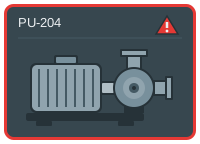
A Stroke Color binding drives an element’s outline from a colour parameter, exactly as Fill Color drives its interior. Use it for anything whose meaning lives on the edge: a frame around a device tile, the border of a selected item, a pipe drawn as a stroked path.
Keeping alarm colour on the outline rather than the body is worth the habit. A device’s fill usually already means something — running, selected, what product is in it — and an alarm that overwrites it takes that away at the moment an operator needs both. A frame has no other job.
The same two notes apply as for fill: the design-time stroke is removed when you add the binding, and a binding on a group clears the stroke from its children.
Then the obvious one, which still catches people. An element with no stroke width, or with stroke="none" in the drawing, shows nothing however you colour it. Give the shape a stroke you can see before you bind it.