Show a valve as open, closed, travelling or faulted
Beginner · 10 min · Valve
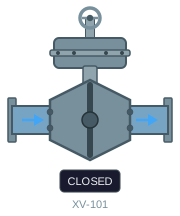
ClosedLimit = true DiscAngle = 0 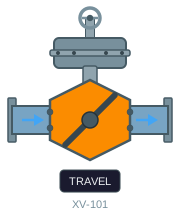
neither limit DiscAngle = 45 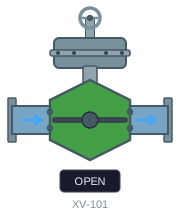
OpenLimit = true DiscAngle = 90 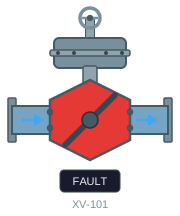
Fault = true DiscAngle = 45
The problem
The usual way to do this is to draw the valve four times — grey, green, amber, red — stack the copies, and give each one a visibility dynamic. It works, and then someone asks for a fifth state, or the plant gets a second valve size, or you need to change the green. Now you are editing four objects per valve across every screen that uses one.
The states are also easy to get wrong in a way nobody notices for months. Two limit switches have four combinations, not two, and the awkward ones matter most: neither made means the valve is travelling, and both made at once means something is broken. Visibility dynamics on separate objects let two of them show at the same time.
One dynamic SVG replaces all of it. The valve is drawn once, and its colour is a single binding that resolves the priority for you.
What you need
A valve graphic with the body, the disc and a status label as separate elements — the example below uses the control valve from the sample set. From the PLC you need the two limit switches and the fault bit as booleans, plus a number for the disc position.
When you are done the widget asks for these five parameters:
| Parameter | Type | What it does |
|---|---|---|
| Fault | boolean | Fault bit. Overrides both positions. |
| OpenLimit | boolean | Open limit switch. True when the valve has reached its open position. |
| ClosedLimit | boolean | Closed limit switch. True when the valve has reached its closed position. |
| DiscAngle | number | Disc position in degrees: 0 is closed, 90 is open. |
| StatusText | string | The word shown on the status label. |
Build it
1. Colour the body from the three bits
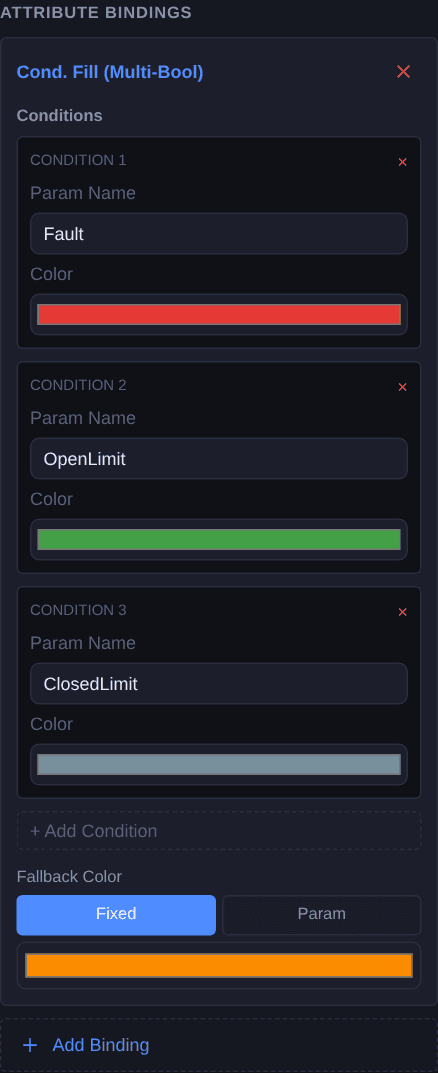
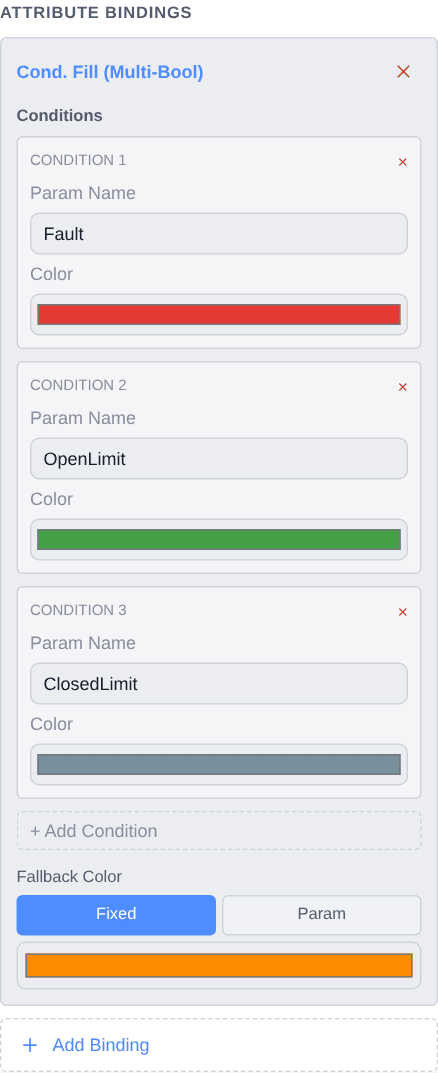
Select the valve body and add a Cond. Fill (Multi-Bool) binding. Add three condition rows, in this order:
Fault— redOpenLimit— greenClosedLimit— grey
Then set the fallback colour to amber. That is the whole state machine: the first row whose parameter is true wins, and if none of them is, the fallback applies.
2. Turn the disc with the position
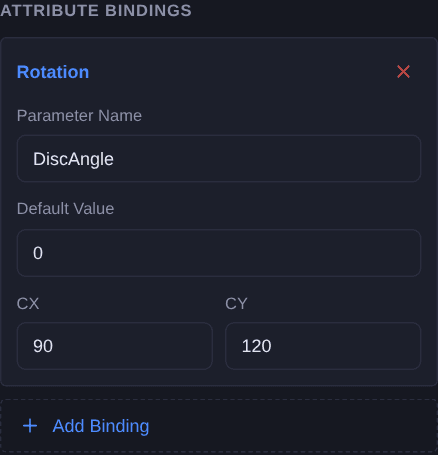
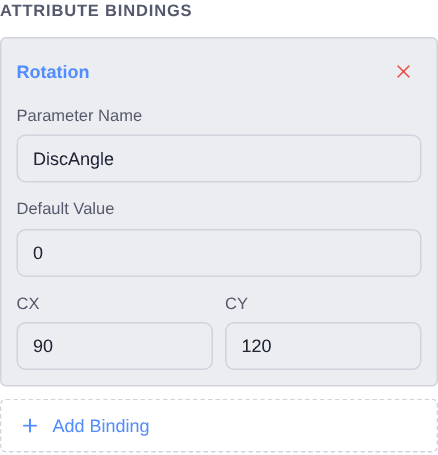
Select the disc and add a Rotation binding named
DiscAngle. The editor fills in the rotation centre from the shape’s bounding box — check it lands on the valve hub, because a centre a few pixels out makes the disc wobble as it swings rather than pivot.Zero is closed and 90 is open. Anything between reads as travelling, which is what makes a moving valve look like it is moving instead of jumping.
3. Put the state in words
Select the status label and add a Text Content binding named
StatusText. Colour already tells an operator who knows the convention; the word tells everyone else, and it is what ends up in a screenshot attached to a shift report.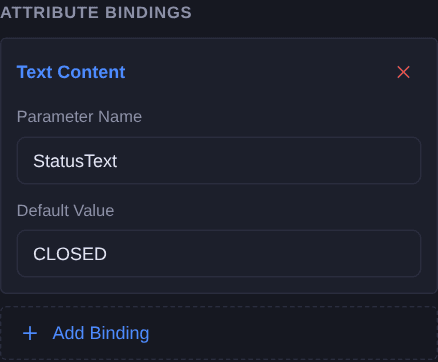
Check it
Open Simulate and you get one control per parameter. Work through the four combinations at the top of this page: set ClosedLimit and leave the angle at 0, then clear it and raise the angle, then set OpenLimit at 90, then set Fault.
The one worth checking deliberately is the impossible one: set both limit switches at once. The valve should stay on whichever row is higher in your list, not flicker between them — and that is the check that tells you the priority is doing what you think.
Simulate needs a free account. Everything up to this point does not.
Variations
- Let the colours come from the faceplate. Switch any row from Fixed to Param and that colour becomes a parameter instead, so one widget can follow a house palette that is set per project rather than per graphic.
- Add a position readout. Draw a small display on the actuator and give it a Text Content binding of its own. The widget then reads as a percentage as well as a state, which is what a control valve usually wants and an on/off one does not.
- One bit instead of three. If your PLC only publishes open/closed, drop the multi-bool for a Cond. Fill (Boolean): one parameter, two colours. If it publishes a state number instead, use Cond. Fill (Number) and give each value its own row.
Questions
- Why not one binding per state?
- Because they would fight. Separate visibility bindings can all be true at once, so a faulted valve that is also open shows two colours. A multi-bool resolves the priority in a single binding: the first true row wins and nothing else gets a say.
- What happens when no condition is true?
- The fallback colour applies. That is not an error case — it is where "travelling" lives, since a valve between its two limit switches makes neither of them.
- Does the rotation centre have to be exact?
- It has to be on the pivot. The editor derives it from the element's bounding box when you add the binding, which is right for a disc drawn symmetrically about its hub. If the disc is drawn off-centre, type the hub coordinates in yourself.
- Can I use this with more than three states?
- Yes — a multi-bool takes as many condition rows as you have booleans, plus the fallback. If the states come from one integer rather than separate bits, Cond. Fill (Number) is the better fit: one parameter, one row per value.