Tutorials using Visibility (Boolean)
Shows an element while a bit is true — the cheapest binding in the set.
What Visibility (Boolean) does
Show an element while a bit is true, hide it while it is false. One parameter, nothing to configure.
It is the cheapest binding in the set and it does more than it looks like it does. A badge that only exists during a fault, a padlock that appears when an interlock is active, a flag over a device out of auto — each is one boolean and one element, and none of them requires the symbol underneath to change at all. That separation is what lets the same overlay be dropped onto a pump, a valve or a bare rectangle.
One thing to check in the drawing. An element hidden by something other than visibility — opacity="0" is the common one — stays hidden when the binding shows it, because the binding drives visibility and the opacity is still zero. That is easy to create by accident: parking a badge at zero opacity is a normal way to keep it out of the way while drawing.
Worked examples
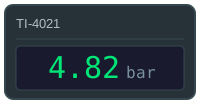
Show a live value with its colour and quality
A number on a screen is only useful if you can tell whether to believe it.
Text Content · Fill Color · Visibility (Boolean)
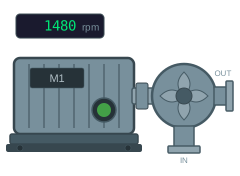
Show a motor as running, stopped or faulted
Two bits and a speed value are all a motor symbol needs.
Cond. Fill (Boolean) · Visibility (Boolean) · Text Content