Tutorials using Stroke Width
Sets an element’s line thickness from a number in drawing units — a pipe that thickens with flow.
What Stroke Width does
Set an element’s line thickness from a number, in the units the drawing is in.
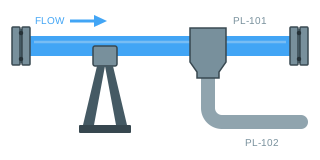
The use worth knowing is flow: a pipe that thickens as more goes through it. Nobody measures a line on a screen to read a rate — the number beside it does that — but a heavily and a lightly loaded run looking different from across the control room is worth a binding on its own.
Which means keeping the range tight. Scale the tag to a span that still looks like pipework at both ends, and find the top of that span by driving it in Simulate until the line starts swallowing its own fittings. That value is your ceiling, and it is far easier to find before you scale a tag than after.
One geometric note: a stroke grows outwards from the path in both directions, so a line that doubles in width covers half that growth on each side. Anything drawn tight against it — a flange, a label, a neighbouring run — needs the clearance.